

How to Build Your Own IPTV App From Scratch

Television has quietly moved away from cables, dishes, and fixed schedules. IPTV has become the backbone of how live channels and on-demand content are delivered today, especially for businesses that need more control than traditional TV platforms allow.
Building an IPTV app from scratch is not just a technical project. It is a mix of content strategy, infrastructure planning, legal considerations, and user experience design. This guide breaks the process down into clear, practical steps and explains what actually matters when creating an IPTV app that works reliably in real-world conditions.
What IPTV Really Is and Why It Works
IPTV, or Internet Protocol Television, delivers video content over IP networks instead of traditional broadcast infrastructure. Rather than relying on satellite dishes or cable lines, content is streamed through the internet in real time or on demand.
What makes IPTV attractive is not just the delivery method, but the flexibility behind it. The same system can power live TV channels, video libraries, interactive program guides, and personalized user profiles. Viewers can watch on smart TVs, phones, tablets, or computers without special hardware beyond a stable connection.
From the viewer’s perspective, IPTV feels simple. From the system side, it is a carefully coordinated flow of encoding, streaming, and playback that needs to work smoothly under very different network conditions.
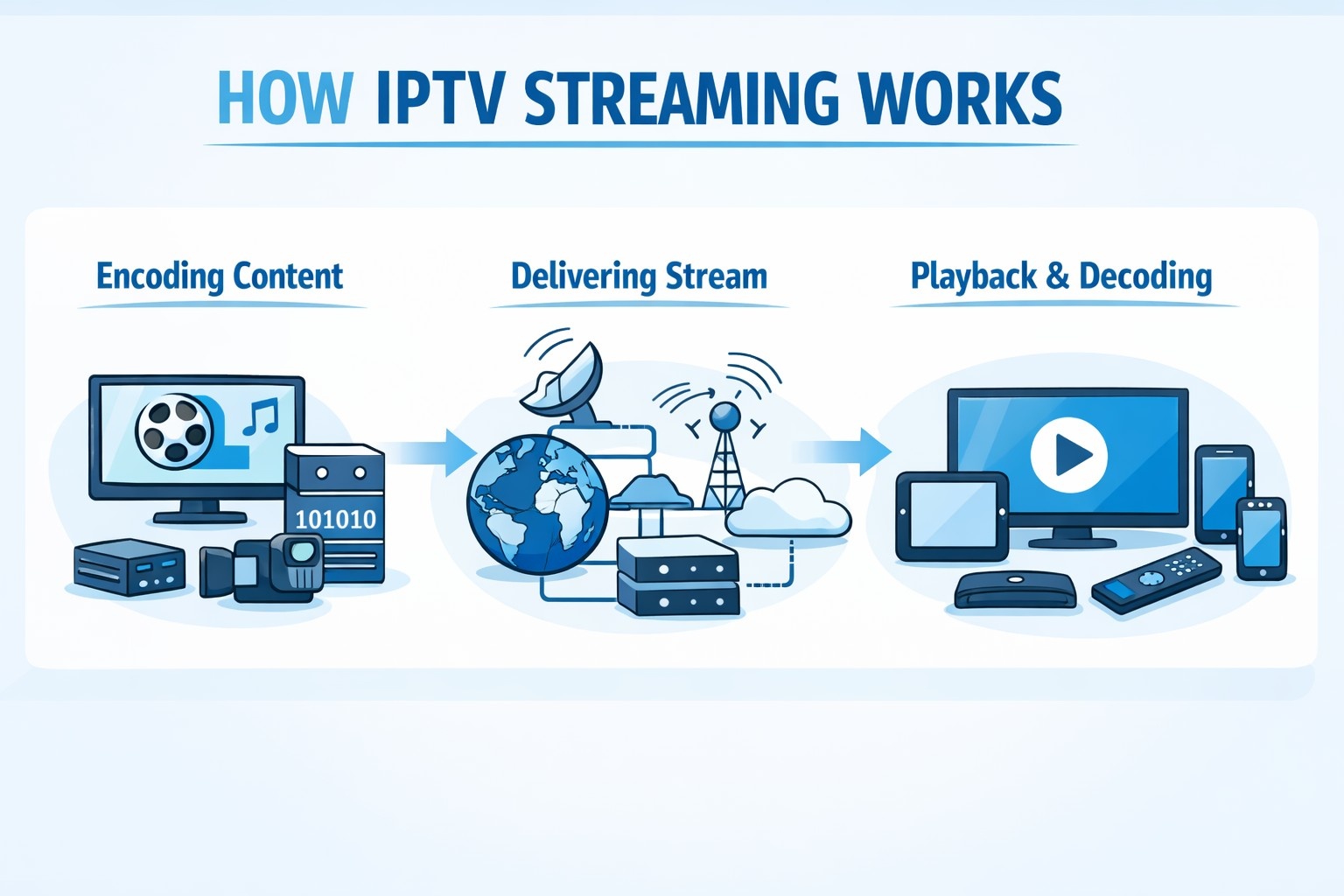
How IPTV Streaming Works Behind the Scenes
At its core, IPTV turns video into data and moves it efficiently from server to screen.
Encoding the Content
Live feeds and recorded video are converted into digital formats suitable for streaming. Modern systems rely on codecs like H.264 and H.265 to balance quality and bandwidth. This step is critical, because poor encoding leads to buffering, artifacts, or unnecessary data usage.
Delivering the Stream
Once encoded, video is sent across the network using IP packets. Two delivery models are typically used:
- Unicast, where each viewer receives their own stream. This is common for video on demand.
- Multicast, where one stream is shared across many viewers. This is ideal for live channels watched by large audiences at the same time.
Most real-world IPTV systems use both, depending on the content type.
Playback and Decoding
On the user’s device, the app or player reassembles the data, decodes the video, and displays it in real time. The better this process is optimized, the less the viewer notices network changes or device limitations.
Why Build a Custom IPTV App Instead of Using a Platform
Third-party IPTV platforms can be useful for testing ideas, but they come with tradeoffs that become obvious over time.
Control Over the Experience
A custom app allows full control over layout, navigation, branding, and features. This matters in environments like hotels, healthcare facilities, or niche content services where the experience needs to match a specific use case.
Scalability Without Hard Limits
With your own infrastructure, growth does not depend on someone else’s pricing tiers or usage caps. You can scale gradually, optimize costs, and adjust capacity based on real demand.
Flexible Monetization
Subscriptions, pay-per-view, advertising, or mixed models can all coexist. Pricing logic, regional rules, and access levels can be shaped around your audience instead of forced into a preset model.
Long-Term Independence
Owning the system means fewer surprises. No sudden policy changes. No forced feature removals. No dependency on a provider that may shift focus or shut down.
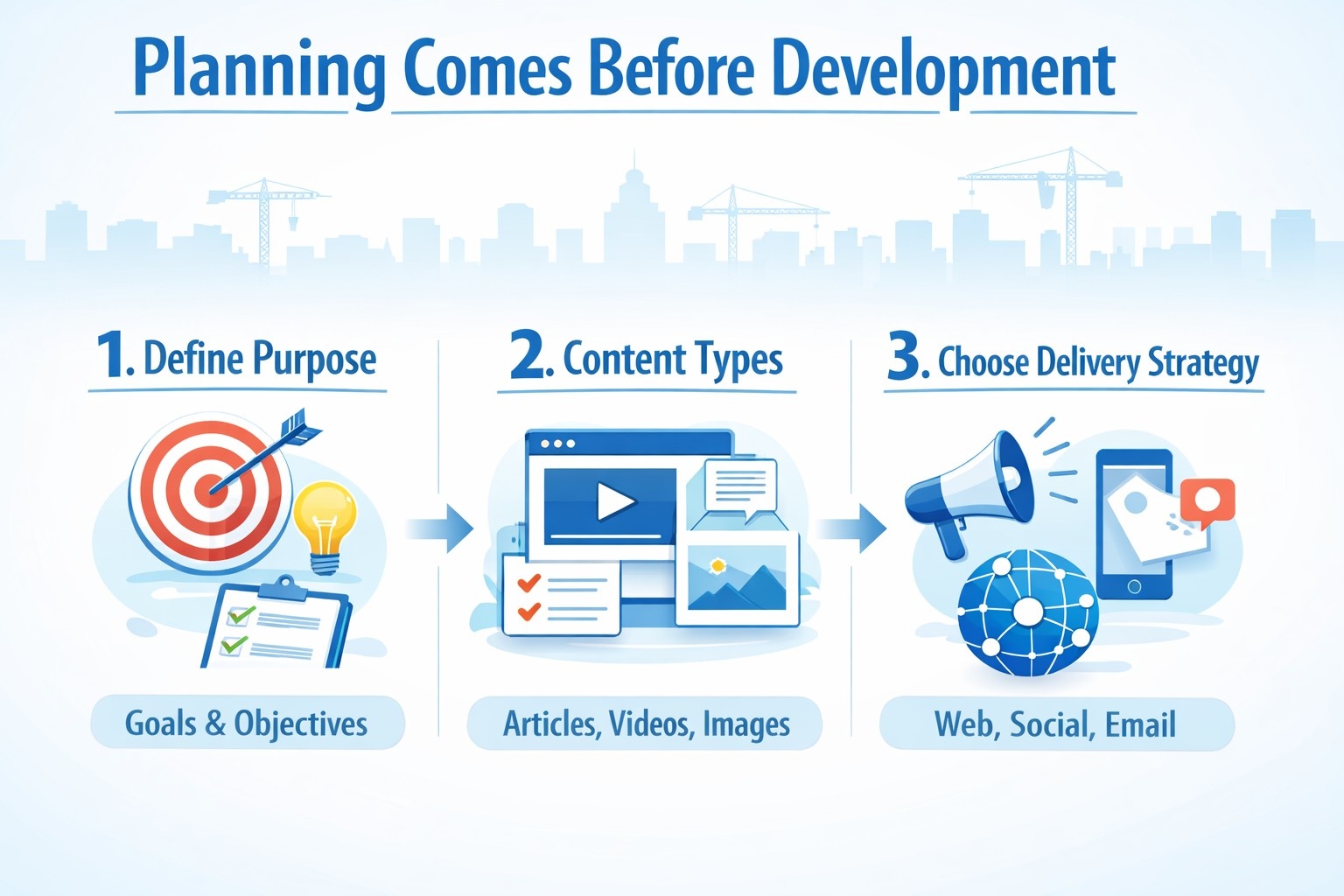
Planning Comes Before Development
Many IPTV projects fail not because of technology, but because of unclear planning.
1. Define the Purpose First
Is this for private use, internal distribution, hospitality, or public subscribers? The answer affects everything from security to UI design.
2. Decide on Content Types
Will the app focus on live TV, on-demand video, or both? Live content demands low latency and stable multicast support. On-demand content requires strong catalog management and search.
3. Choose Delivery Strategy Early
Mixing unicast and multicast is common, but it needs to be planned upfront. Retrofitting delivery logic later adds unnecessary complexity.
Legal and Licensing Considerations (Often Overlooked)
Before a single stream goes live, content rights need to be addressed.
- Live TV channels require explicit redistribution agreements.
- On-demand libraries require licensing that covers region, duration, and playback methods.
- Recording, replay, and catch-up features often require separate permissions.
Ignoring licensing can shut down an otherwise solid technical system overnight. This is not a detail to postpone.
Core Technical Components You Will Need
A functional IPTV system typically includes:
- Media servers for live and on-demand streaming
- Content delivery network (CDN) to reduce latency and load
- Content management system (CMS) for organizing channels and libraries
- Encoding and transcoding tools for multiple devices and bitrates
- User authentication and access control
- Monitoring and analytics for performance and usage
Security measures such as DRM, stream encryption, and token-based access are also common, especially for commercial services.
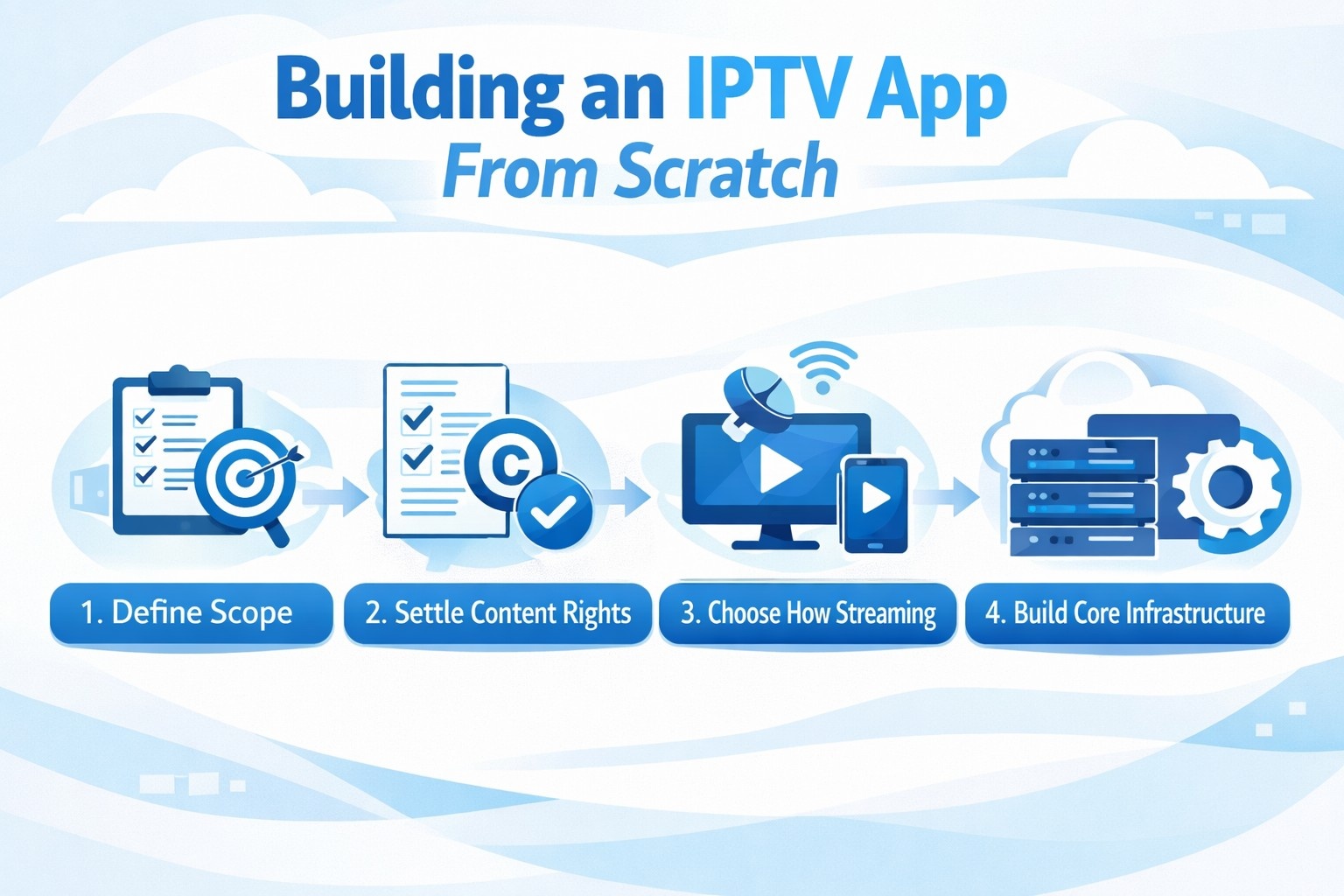
Building an IPTV App From Scratch: What to Expect
Television has moved away from cables and fixed schedules. IPTV is now one of the most common ways to deliver live channels and on-demand video over the internet, especially when businesses need more control than standard streaming platforms provide.
Building an IPTV app from scratch is not just a development task. It involves content planning, streaming infrastructure, legal checks, and a viewing experience that stays stable under real network conditions. The steps below outline a practical path from idea to launch.
Step 1 - Define the Scope Before Writing Code
Start by deciding what the app is actually for. An IPTV app built for a hotel, a private network, or a public subscription service will have very different requirements. This decision affects security, device support, and overall architecture.
Next, clarify the content format. Live TV, video on demand, or a mix of both each introduce different technical demands. It is usually safer to start with one core format and expand later.
Finally, choose the platforms you will support at launch. Trying to cover mobile, web, smart TVs, and set-top boxes all at once often slows projects down. Focus on where your users actually are.
Step 2 - Settle Content Rights and Legal Basics Early
Before streaming anything publicly, confirm that you have the legal right to distribute the content. This applies to live channels, movies, sports, and even replay features.
User data also needs attention. Privacy policies, account rules, and basic compliance should be defined early, not added after launch. Skipping this step often creates delays later.
Step 3 - Choose How Streaming Will Work
Most IPTV apps rely on modern adaptive streaming formats such as HLS or MPEG-DASH. These formats allow video quality to adjust automatically based on the viewer’s connection, which reduces buffering.
For delivery, unicast is usually used for on-demand content, while multicast makes sense for live channels inside private networks. Public IPTV services typically begin with unicast and scale from there using CDNs.
Step 4 - Build the Core Infrastructure
The technical backbone includes media servers, storage for video files, and a delivery layer that keeps playback smooth across regions. Cloud infrastructure is common because it scales more easily, while on-premise setups still make sense for controlled environments like hotels or campuses.
Monitoring should be part of the initial setup. Tracking buffering, startup time, and stream failures helps catch problems before users notice them.
Step 5 - Develop the IPTV App Itself
The app interface should stay simple. Users expect fast startup, clear navigation, and stable playback more than complex visuals.
The video player deserves special attention. It must handle quality switching smoothly, recover from short network drops, and behave consistently across devices. Authentication and access control should be built in from the start, even for free services.
Step 6 - Decide How the App Will Make Money
Monetization models vary, but most IPTV apps use subscriptions, pay-per-view events, advertising, or a mix of these. The important part is keeping the logic clear so users understand what they are paying for and what changes when they upgrade.
Step 7 - Test Under Real Conditions
Testing should reflect how people actually watch TV. Slow connections, peak evening traffic, older devices, and smart TV remotes often reveal issues that lab testing misses.
Security checks are also critical to protect streams and user accounts, especially when paid content is involved.
Step 8 - Launch, Monitor, Improve
A controlled launch helps reduce risk. Once live, monitoring playback performance and user behavior shows where the system needs adjustment.
An IPTV app is never finished. Ongoing updates, content changes, and device support are part of running the platform long term.
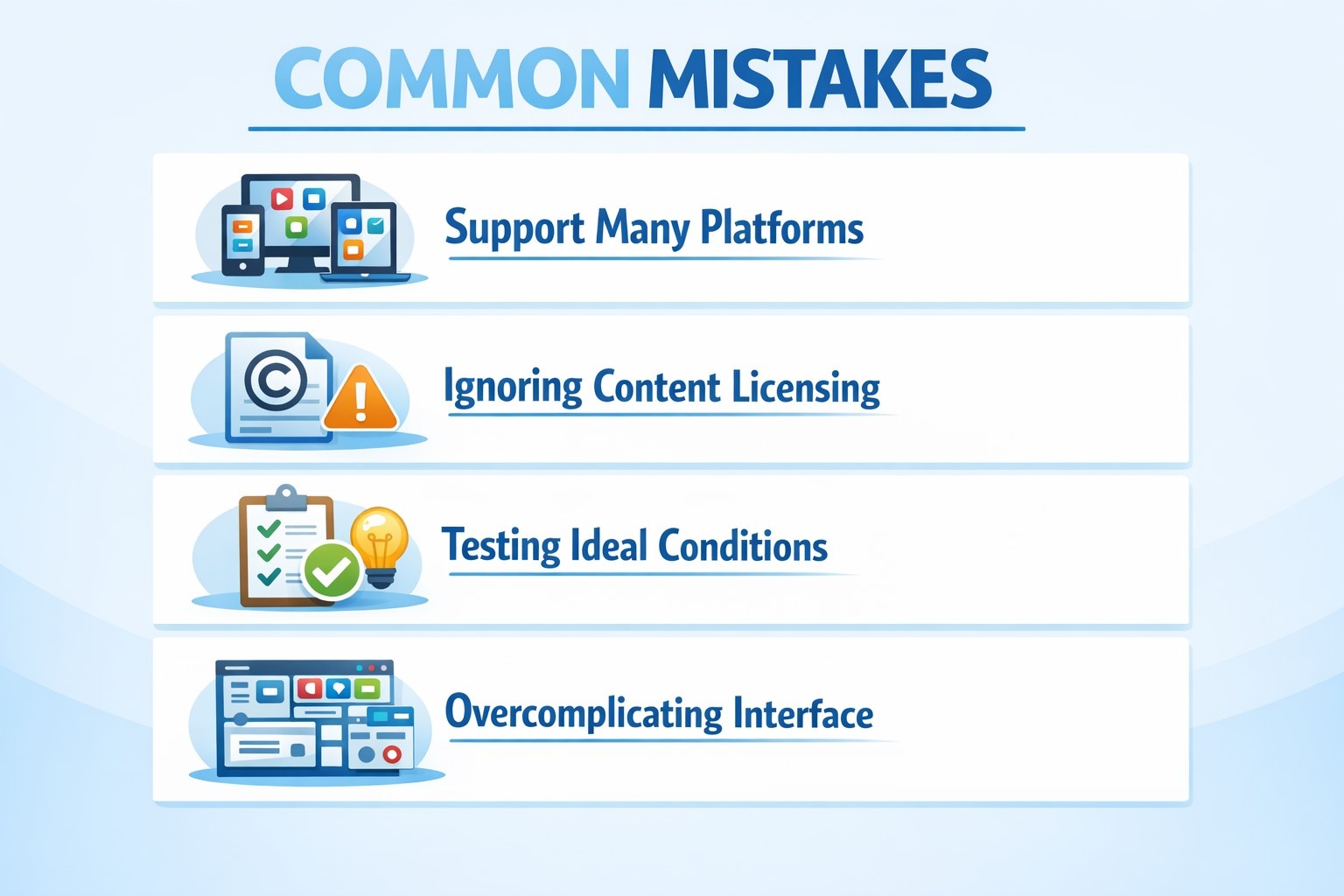
Common Mistakes When Building an IPTV App
Even experienced teams run into avoidable issues when building IPTV apps. Most problems come from early decisions that seem minor but grow costly over time.
- Trying to support too many platforms at once. Mobile apps, smart TVs, web players, and set-top boxes all have different requirements. Launching on everything at the same time often leads to unstable playback and inconsistent user experience.
- Ignoring content licensing early. Technical access does not equal legal permission. Missing or unclear licensing for live channels, replays, or on-demand content can stop a project entirely.
- Testing only under ideal conditions. Apps that work well on fast office networks often fail on older devices, weak Wi-Fi, or during peak evening traffic. Real-world testing is essential.
- Overcomplicating the user interface. IPTV users expect simple navigation and predictable playback. Crowded menus and confusing controls quickly lead to frustration and drop-offs.
- Taking shortcuts with security. Unprotected stream URLs, weak authentication, or missing access limits make piracy easier and damage trust with content partners.
- Treating the app as a one-time release. IPTV platforms require ongoing updates for devices, operating systems, and content changes. Without a maintenance plan, quality declines quickly.

IPTV App Development, Handled by Professionals
At OSKI, we build IPTV applications as complete, production-ready systems. If architecture is weak, playback issues show up fast. If infrastructure is underbuilt, costs and outages creep in as soon as usage grows. That is why, for most businesses, hiring professionals is the safer and more cost-effective route than learning through trial and error in production.
We handle everything from architecture and streaming infrastructure to app development and long-term support, focusing on stability, performance, and scalability. The goal is simple: make the platform reliable from day one and keep it that way as content, users, and device types expand.
We work with businesses building IPTV solutions for hotels, private networks, education, and public streaming services. Each project starts with clear planning around content, delivery, and device support to avoid common issues later, like buffering during peak hours, inconsistent behavior on smart TVs, or limitations that block new features.
Our team designs cloud-based IPTV infrastructures using AWS, Azure, and Google Cloud, and builds applications with reliable technologies such as .NET, Node.js, React, Vue, and Angular. This allows us to deliver apps that run smoothly across mobile, web, and smart TV platforms, without constant patching to “make it work” on the next device.
We also focus heavily on user experience. Fast startup, predictable navigation, and stable playback are treated as core features, not afterthoughts. Where it makes sense, we integrate AI-driven analytics and automation to improve content management and platform performance, so decisions are based on real usage, not assumptions.
Clients choose us for clear communication, structured delivery, and dependable results. If you are planning to build an IPTV app and want a team that understands both streaming technology and real-world usage, we are ready to help.
Final Thoughts
Building an IPTV app from scratch is not simple, but it is very achievable with the right structure and expectations. The technology itself is mature. The real challenge lies in planning, licensing, performance tuning, and long-term maintenance.
When done well, a custom IPTV app becomes more than a streaming tool. It becomes a controlled distribution channel, a branded experience, and a platform that can evolve as viewing habits change.
If you treat it as a system rather than just an app, the results tend to last.
Frequently Asked Questions
What is the difference between IPTV and regular streaming apps?
IPTV focuses on delivering live TV channels and scheduled broadcasts over the internet, often alongside on-demand content. Regular streaming apps usually center on on-demand libraries only. IPTV systems also rely more heavily on real-time delivery, program guides, and channel-style navigation.
Do I need my own servers to build an IPTV app?
Not necessarily. Many IPTV apps use cloud infrastructure and CDNs instead of owning physical servers. This approach makes scaling easier and reduces upfront costs. On-premise servers are still used in controlled environments like hotels, campuses, or private networks.
Is it legal to build an IPTV app?
Building the app itself is legal. Streaming content is where legal requirements apply. You must have proper rights to distribute live channels, movies, or shows. Without licensing agreements, even a technically sound IPTV app can be shut down.
How long does it take to build an IPTV app from scratch?
A basic IPTV app can take a few months to build if the scope is clear and content is ready. More complex platforms with multiple devices, monetization, and advanced features often take longer. Timelines depend heavily on content rights, device support, and testing.
Which devices should an IPTV app support first?
Most teams start with mobile apps or a web player, then expand to smart TVs. Supporting every device at launch increases complexity and risk. It is usually better to focus on where the majority of users will watch content.
What streaming format should an IPTV app use?
Adaptive streaming formats like HLS and MPEG-DASH are the most common choices today. They handle varying network speeds well and are widely supported across devices.


