

How Much Does It Cost to Build Enterprise API Integrations

Enterprise API integrations can quietly become some of the most expensive line items in a tech project. They often look simple on paper – connect system A to system B – but once you get into the weeds, the reality is different. Complex business logic, messy data, internal approvals, and high expectations for reliability all pile on cost and time.
So how much does it really cost to build enterprise-grade API integrations?
Let’s break it down.
What Enterprise API Integration Actually Means
At a basic level, API integration means connecting software systems so they can exchange data or trigger actions. But in an enterprise context, this goes far beyond pushing contact info between a CRM and a marketing tool. You’re usually working with:
- Multiple complex systems (ERP, HRIS, WMS, custom legacy apps).
- High-volume or sensitive data (finance, health, employee info).
- Strict reliability and uptime expectations.
- Security, compliance, and audit trails.
- Real-time sync needs or advanced business workflows.
That’s why enterprise API integrations tend to require careful planning, solid architecture, ongoing support, and a budget to match.
In the US and other mature markets, most enterprise API integration projects land between $15,000 and $75,000. That’s for a single integration, depending on depth and complexity. At the higher end, deeply customized or high-risk projects can exceed $150,000.

How We Approach API Integration at OSKI Solutions
At OSKI Solutions, we work with clients to make API integration a practical part of how their systems communicate and share data. An API is the code that lets one application talk to another, and API integration means using that code to automate business processes and streamline how information flows between apps. We focus on helping businesses connect cloud applications, integrate best-of-breed tools, and unlock the value of both existing and legacy data sources.
In projects that involve enterprise API work, we start by selecting the right API for the task and planning how it will be used in the broader system. This is important because enterprise environments often have multiple applications that need to work together reliably. We help clients understand when API integration is necessary, what benefits it brings, and how it fits into their long-term software strategy.
We also bring our broader software expertise to the table. With experience in cloud solutions, frontend and backend technologies, and complex integrations, we build API connections that not only move data but also support automation, productivity improvements, and future growth. Our goal is to make integration something that enhances the whole tech stack, not just a one-off connection.
Modernize Your Systems with API Integration
Connect legacy software, third-party platforms, and internal tools into one seamless ecosystem.
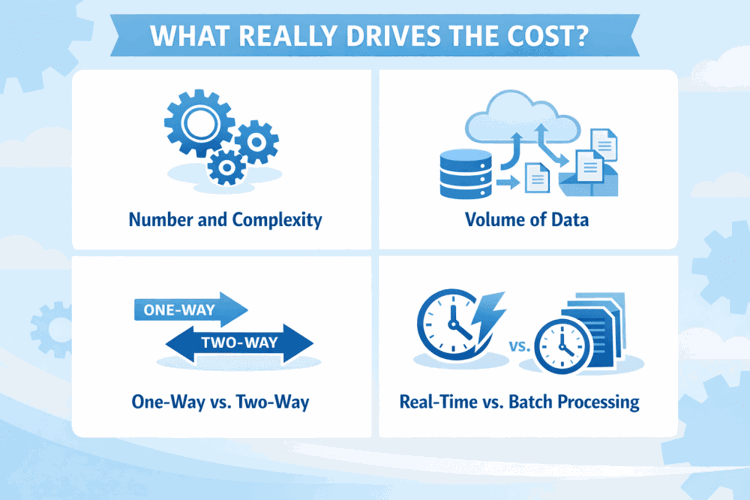
What Really Drives the Cost
No two integrations are exactly alike, but certain variables consistently influence how much you’ll need to spend.
1. Number and Complexity of Systems
Connecting two cloud-native systems with clear, well-documented APIs? That’s the cheaper end. Integrating three systems, one of which is a legacy platform with limited API access? That’s going to take more time and more specialized engineering.
2. Volume of Data
Syncing a few thousand records in nightly batches is one thing. Syncing hundreds of thousands of records, in real time, across multiple business units, with transformation and validation logic? That’s a different animal – and price tag.
3. One-Way vs. Two-Way Sync
A one-way sync moves data in a single direction. Two-way sync requires bidirectional logic, conflict resolution, and constant monitoring. That added complexity increases the development effort significantly.
4. Real-Time vs. Batch Processing
Real-time integrations require better infrastructure, robust failure recovery, and often higher engineering expertise. Batch jobs can be more forgiving and simpler to build.
5. Custom Logic and Business Rules
This is where scope can balloon. Every business has exceptions – custom field mappings, weird rules, or edge cases that don't appear in documentation but show up in production. Handling those properly takes time.
6. Security and Compliance
If the data touches payroll, healthcare, or anything personal, security expectations rise. Think OAuth flows, encryption, access logging, token management, and compliance with GDPR, HIPAA, or SOC 2.
Sample Price Ranges Based on Complexity
Here’s a general breakdown of how prices vary by project type:
|
Integration Type |
Description |
Estimated Cost |
|
Simple |
Basic two-system sync with standard fields |
$2,000 – $10,000 |
|
Moderate |
Multi-system, some data transformation, batch sync |
$15,000 – $30,000 |
|
Complex |
Real-time sync, deep data mapping, business logic |
$30,000 – $75,000 |
|
Highly Custom |
Legacy systems, multi-region, security-heavy |
$75,000 – $150,000+ |
Consider that ongoing support and maintenance can cost an additional 10% to 20% annually.
Factors That Are Easy to Underestimate
Most teams think in terms of dev hours. But enterprise integration costs often swell from what happens around the code.
Testing and QA
Testing an enterprise integration is not just about checking whether data moves from one system to another. You need to validate sync timing, data accuracy, fallback behavior, and what happens when something fails halfway through. Proper QA also includes testing edge cases and rollback scenarios, which takes time but prevents costly issues after launch.
Monitoring and Logging
In real-world systems, data is rarely clean or predictable. Fields change, duplicates appear, and unexpected inputs slip through no matter how careful teams are. Strong monitoring and clear logs make problems visible early and reduce emergency fixes, but they require upfront planning and additional engineering effort.
Handling API Changes
Enterprise APIs change more often than teams expect, sometimes with little or no warning. New versions, deprecated endpoints, or subtle behavior changes can break existing integrations overnight. Planning for this with version tracking, alerts, and maintenance buffers is far cheaper than scrambling to fix a broken integration under pressure.
Hidden Costs to Watch Out For
Some costs don't appear in the initial proposal but show up soon after kickoff. Be ready for:
- API licensing or partner fees (some platforms charge for access).
- Vendor certification requirements (e.g. Salesforce, SAP).
- Data migration or cleanup before integration can begin.
- Internal time from your IT, compliance, or legal teams.
- Training staff or support teams on how to monitor or use the integration.
None of these are strictly “development” costs, but they hit your budget all the same.
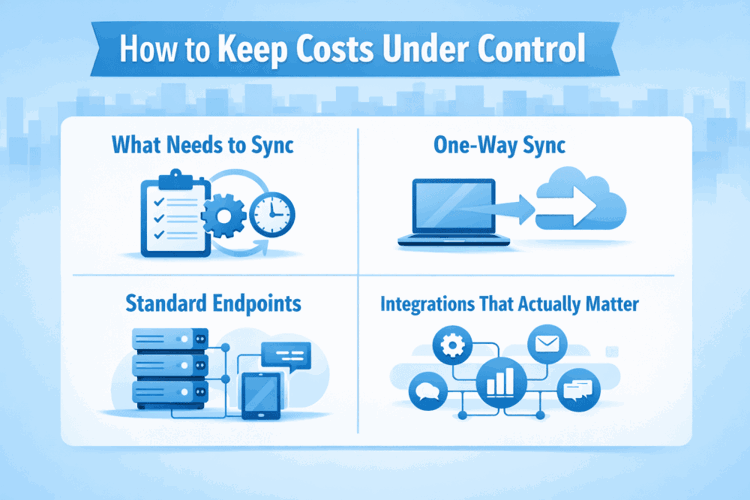
How to Keep Costs Under Control
Enterprise integration doesn’t have to break the bank. Here’s what helps:
Define Exactly What Needs to Sync
Before a single line of code is written, know what data is actually moving. List out which fields matter, when they need to update, and what systems are involved. Skip the temptation to prepare for every possible future edge case – it’s a fast track to blowing your budget.
Start with One-Way Sync
You don’t have to sync everything in both directions right away. One-way sync is often enough to get value flowing, and it’s much easier to test and maintain. You can always layer on two-way logic later if it proves necessary.
Stick to Standard Endpoints
When you lean on well-documented, stable endpoints, things tend to work better and stay working. Deep custom logic might seem useful in the moment, but it often becomes the part that breaks first or costs the most to maintain long-term.
Focus on the Integrations That Actually Matter
Not every system needs to be wired together on day one. Prioritize the connections that reduce manual work, improve decision-making, or directly impact revenue. Save the rest for phase two, or maybe never.
Plan for Monitoring from the Start
If your integration fails silently, it’s only a matter of time before it causes a support nightmare. Build in basic logs, error alerts, and dashboards early. It may feel like overhead, but it pays off the first time something goes wrong.
Don’t Rebuild What Already Exists
Before you custom-code a new connector, double-check if there’s already an SDK, API client, or supported integration available. Reusing stable tools saves engineering time and helps avoid future compatibility headaches.
When Do Costs Start to Climb?
It’s not always clear when you’re drifting into a more expensive project. Watch for these signs:
- You’re integrating with multiple vendors that all require different auth flows.
- Data needs to be transformed and normalized across systems.
- You’re dealing with region-specific compliance (e.g. GDPR + US tax data).
- A stakeholder says “we just need to customize it for one client”.
- Sync needs to happen in real time with guaranteed delivery.
Each of these doesn’t just add a little time – it can multiply the effort if not scoped properly.
Maintenance: The Cost That Never Goes Away
Here’s something many teams forget: the build cost is just part one. Integrations need upkeep. Vendor APIs don’t stay the same forever – endpoints get deprecated, parameters shift, and behavior changes without much warning.
At the same time, internal business rules evolve, teams request new data flows, or someone introduces a new tool that suddenly needs to “just plug in.” Add in the need for audit trails, log exports, and security compliance, and it’s clear this isn’t a one-and-done job.
That’s why ongoing support, even for a stable integration, often costs an additional 10% to 20% of the original build per year. Whether it’s through a retainer or a block of hours for patching and monitoring, that maintenance investment is what keeps things running smoothly after launch.
So... What Should You Budget?
If you're planning enterprise API integrations in 2026, here’s a starting point:
- $15K to $30K for well-scoped, moderate complexity projects.
- $30K to $75K if the integration is critical, real-time, or touches sensitive data.
- $75K to $150K+ for multi-system, legacy, or security-heavy builds.
- Add 10% to 20% annually for support and maintenance.
These numbers assume you’re working with a competent engineering team and doing it right the first time, meaning planning for monitoring, error handling, documentation, and future-proofing.
Final Thoughts
Building enterprise API integrations is not about gluing systems together and hoping it works. It’s software architecture, stakeholder management, compliance work, and yes, a lot of trial-and-error debugging.
Costs vary, but they follow patterns. If you approach it methodically, prioritize what matters, and don’t try to solve every possible edge case up front, you can keep your integration budget realistic and avoid surprises halfway through the project.
And if someone gives you a one-size-fits-all price without asking any questions about data volume, sync frequency, or compliance needs? That’s your cue to walk away. Enterprise integrations aren’t templated? and neither are their costs.
FAQ
1. Why do enterprise API integrations cost so much?
Because they’re rarely just “connect A to B.” You’re often dealing with legacy systems, strict security standards, data transformation, and custom logic that has to work across departments. It’s not the code that’s expensive. It’s everything around it – planning, testing, compliance, and making sure nothing breaks when it goes live.
2. Can’t we just use a plugin or low-code tool instead?
Sometimes, yes. If your use case is simple and you're connecting modern SaaS platforms with open APIs, a low-code integration platform can work. But in enterprise environments, the moment you hit specific business rules, real-time sync needs, or compliance requirements, off-the-shelf tools start to fall short. That’s when you need something custom.
3. What’s the difference between one-way and two-way sync?
A one-way sync sends data in a single direction, like pushing new contacts from a CRM to your billing system. Two-way sync keeps both systems in sync and updated. But it also means handling conflicts, timing issues, and extra monitoring, which adds to complexity and cost.
4. Do we need to worry about API changes from vendors?
Absolutely. APIs evolve, version out, or suddenly break if a vendor updates something without notice. That’s why part of the integration budget should include monitoring and ongoing maintenance. Building it once isn’t enough – you need to keep it alive.
5. How long does a typical enterprise integration take?
Anywhere from 3 weeks to several months. A basic integration might wrap up in under a month. But for multi-system, compliance-heavy projects, timelines stretch. Especially if you need approvals, QA, and stakeholder buy-in at every step.
6. Is real-time integration always better than batch sync?
Not always. Real-time sounds great, but it’s harder to build and monitor. If your business doesn’t need instant updates, batch sync might be more stable, easier to maintain, and less expensive. Choose what fits your actual workflow, not just what sounds impressive in a pitch deck.
7. How do we avoid scope creep on integration projects?
Start with a clearly defined use case and stick to it. Write down what data needs to move, in which direction, and when. Be careful with “just one more field” requests – they add up fast. And if you’re working with a vendor, insist on documented change requests and boundaries around what's included in the original estimate.


